V3.1.1 Build6 What's New >

Asset Studio Organizer
Premium Edition

This is a private, all-in-one Windows application. It empowers you to securely manage, view, search and protect your photos, videos, documents, and design files in a lightning-fast, highly visual, 100% offline dashboard directly on your PC.

Buy Lifetime License View Capabilities Download for Windows
V3.1.1 Build6 (2026-11-12) | Supports Windows 10+

Designed for Professionals

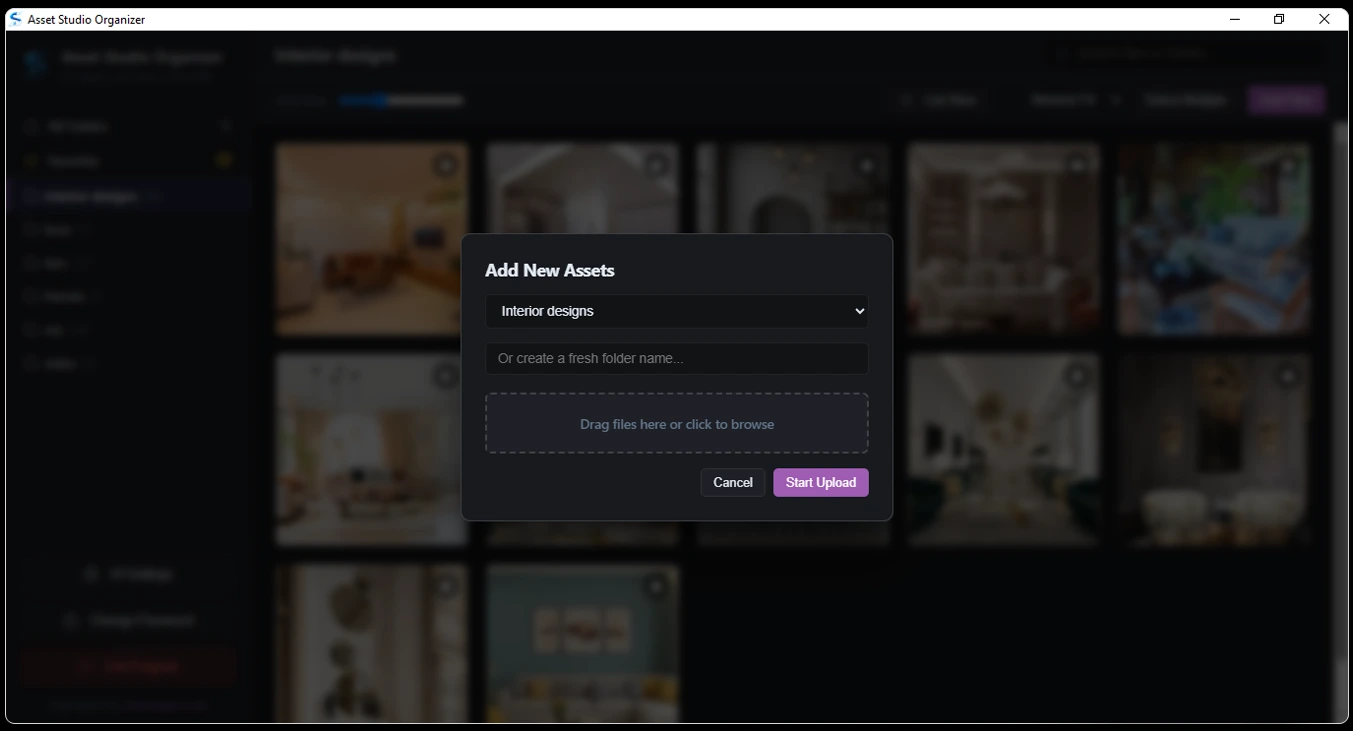
Tired of digging through endless folders? Instantly find any photo, video, design file, or document with lightning-fast searching and indexing. A complete offline digital asset management solution for photography studios, wedding photographers, creative agencies and freelancers.

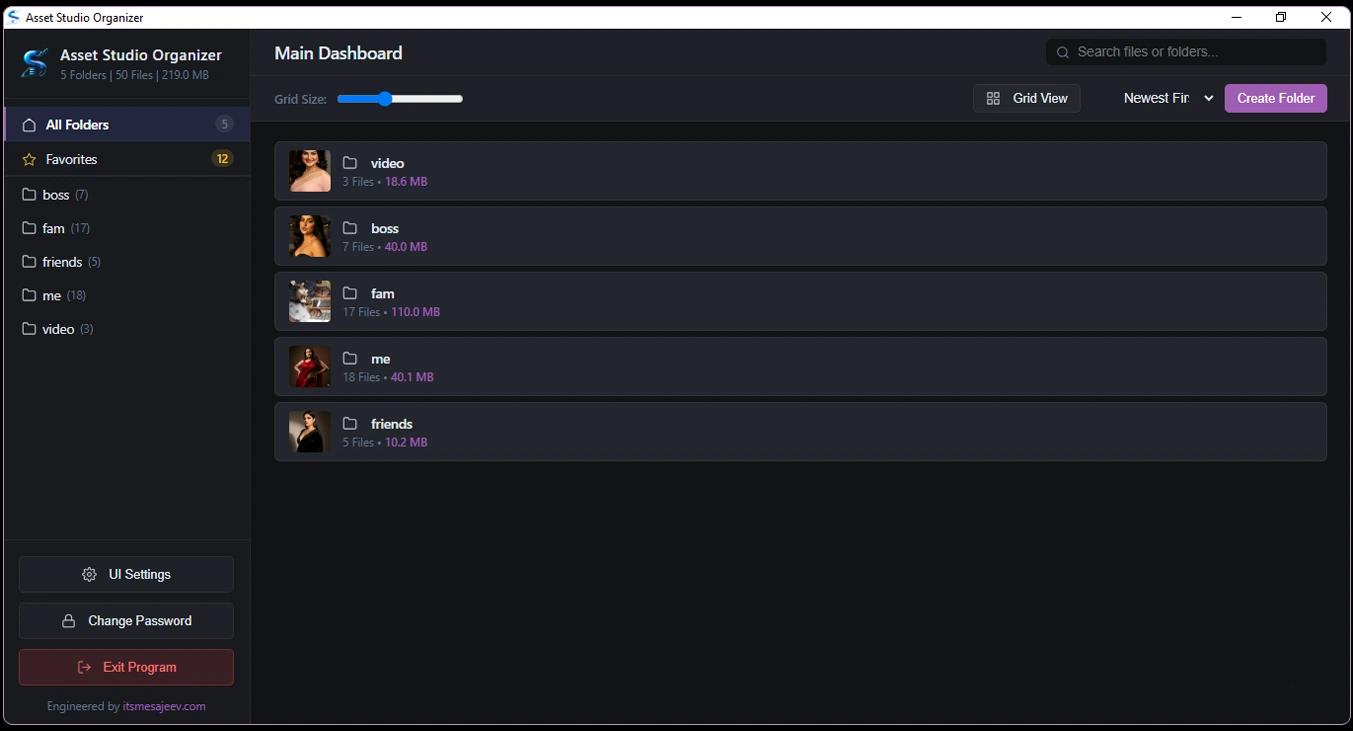
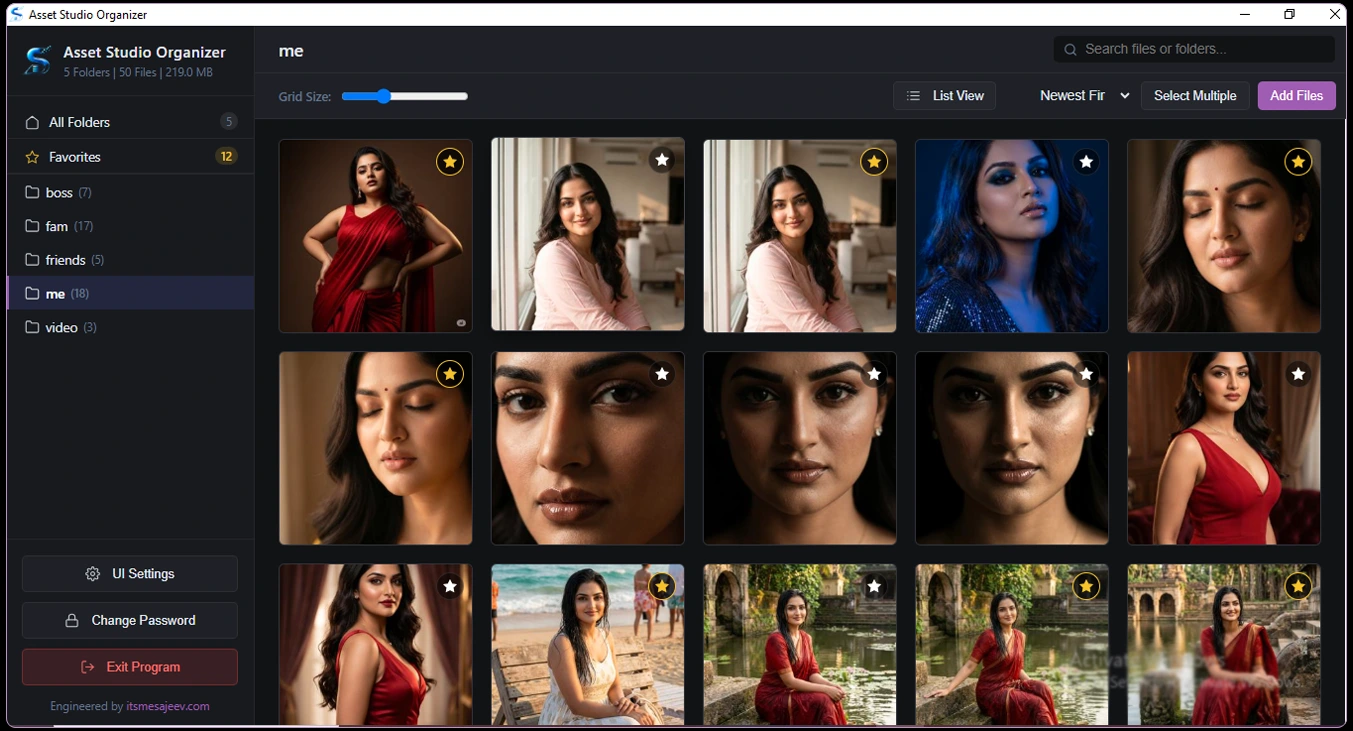
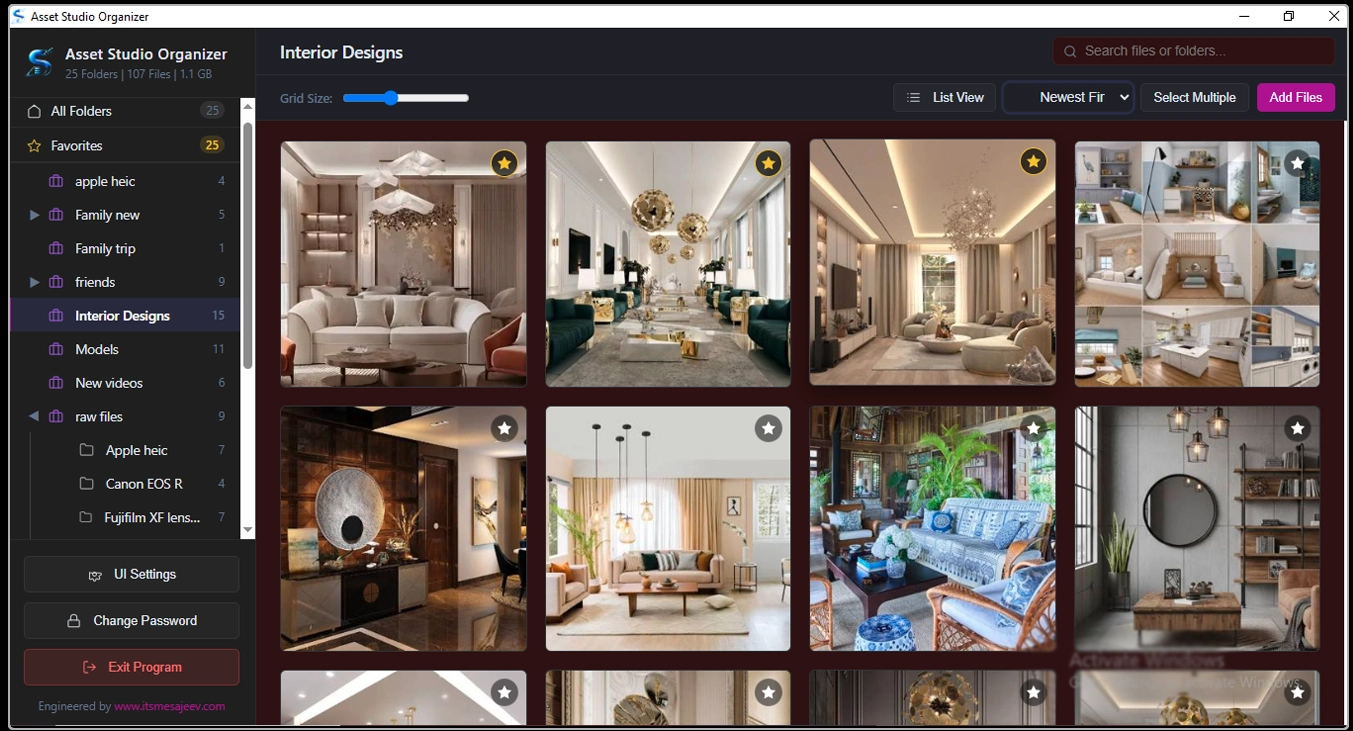
Software Interface Screenshot
Thumbnail Thumbnail Thumbnail Thumbnail Thumbnail Thumbnail Thumbnail Thumbnail Thumbnail
Hardware-Locked Security
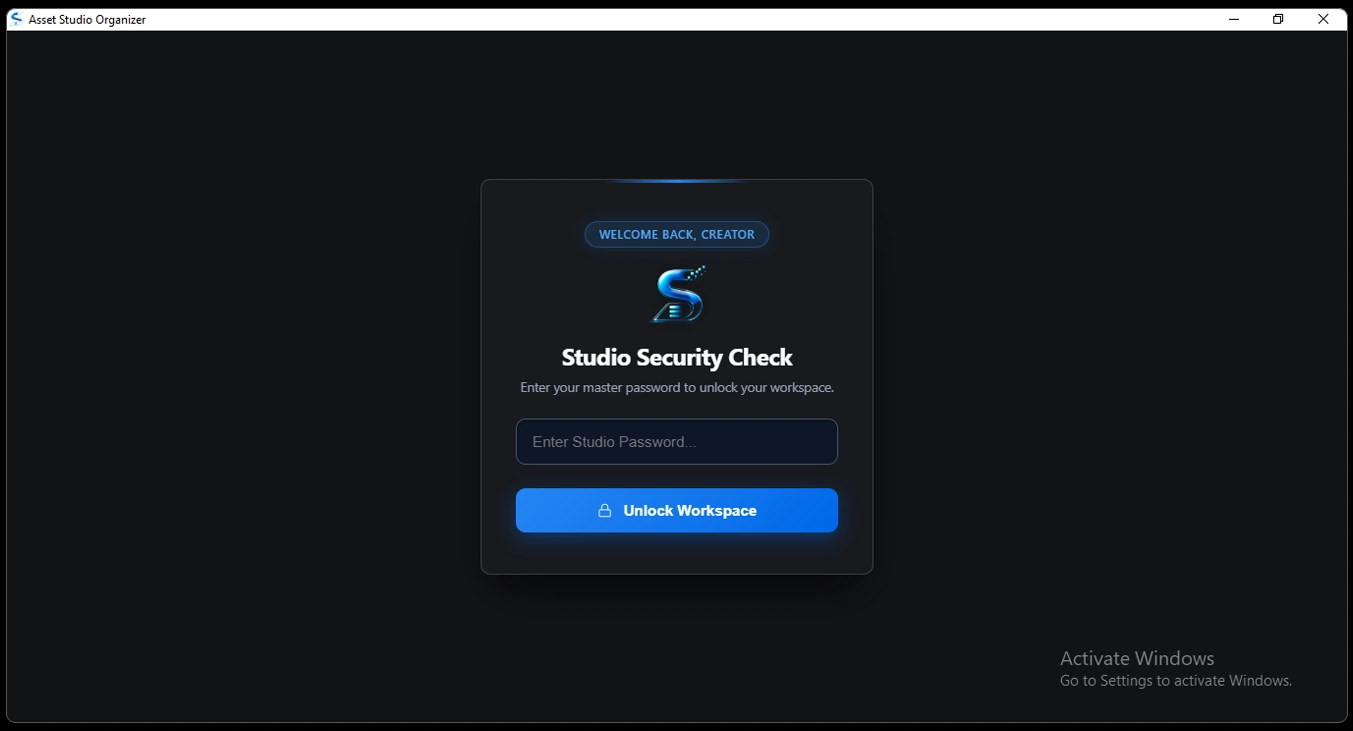
Encrypted Workspace Passwords
Zero Cloud Fees (100% Local)
Portable App (No Setup)
v3.1.2 Preview

Major Studio Upgrade Incoming

Buy your Lifetime Pro License today and unlock all upcoming pro-tier workflows automatically when they drop.

✨ Zero-Copy External Drive Linking

Index terabytes of external files directly from where they live on your workstation.

✨ True-Aspect Masonry Layout

A dynamic waterfall grid that respects your original vertical and horizontal framing.

✨ Native Photoshop (.PSD) & TIFF Engine

Browse heavy design files at lightning speed without opening Photoshop.

Core Features & Capabilities

Engineered to seamlessly organize your entire digital ecosystem—from high-resolution photos, heavy video files, complex design assets, and everyday documents (PDFs, spreadsheets) all in one place.

🚀

Lightning-Fast Management

  • Total Offline Privacy: Keep your pre-release wedding shoots and commercial assets 100% safe from cloud leaks.
  • Instant SQLite Database: Replaces slow file-browsing with a rapid-query local database. Assets index instantly.
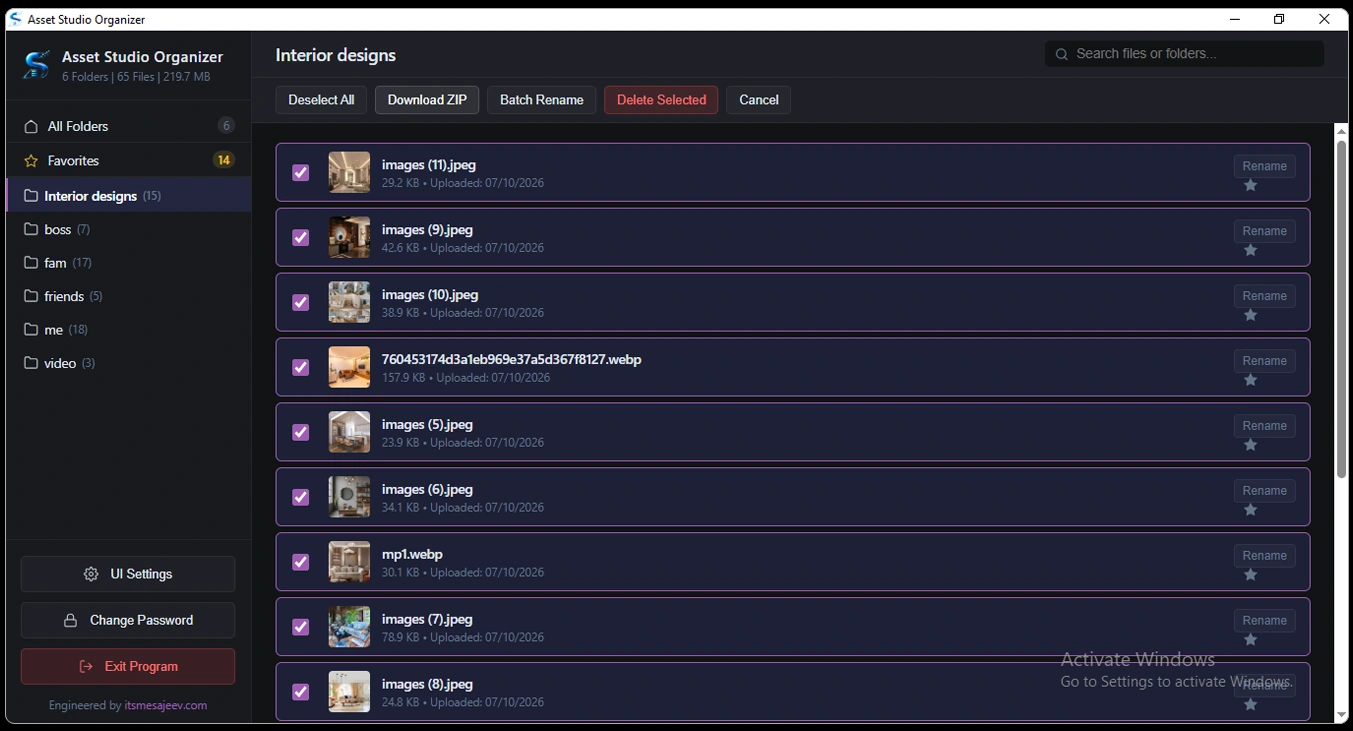
  • Bulk File Renaming: Standardize hundreds of files in seconds using sequential naming conventions.
  • Universal Organization: Natively organizes standard media, heavy video containers (MKV), RAW camera files (CR2, NEF, ARW), and documents (PDF, XLSX).
  • Smart Categorization: Build client folders and star best shots into a dedicated portfolio view.
💧

Automated Studio Branding

  • On-the-Fly Processing: Apply your studio watermark the exact moment you download or export—without altering high-res originals.
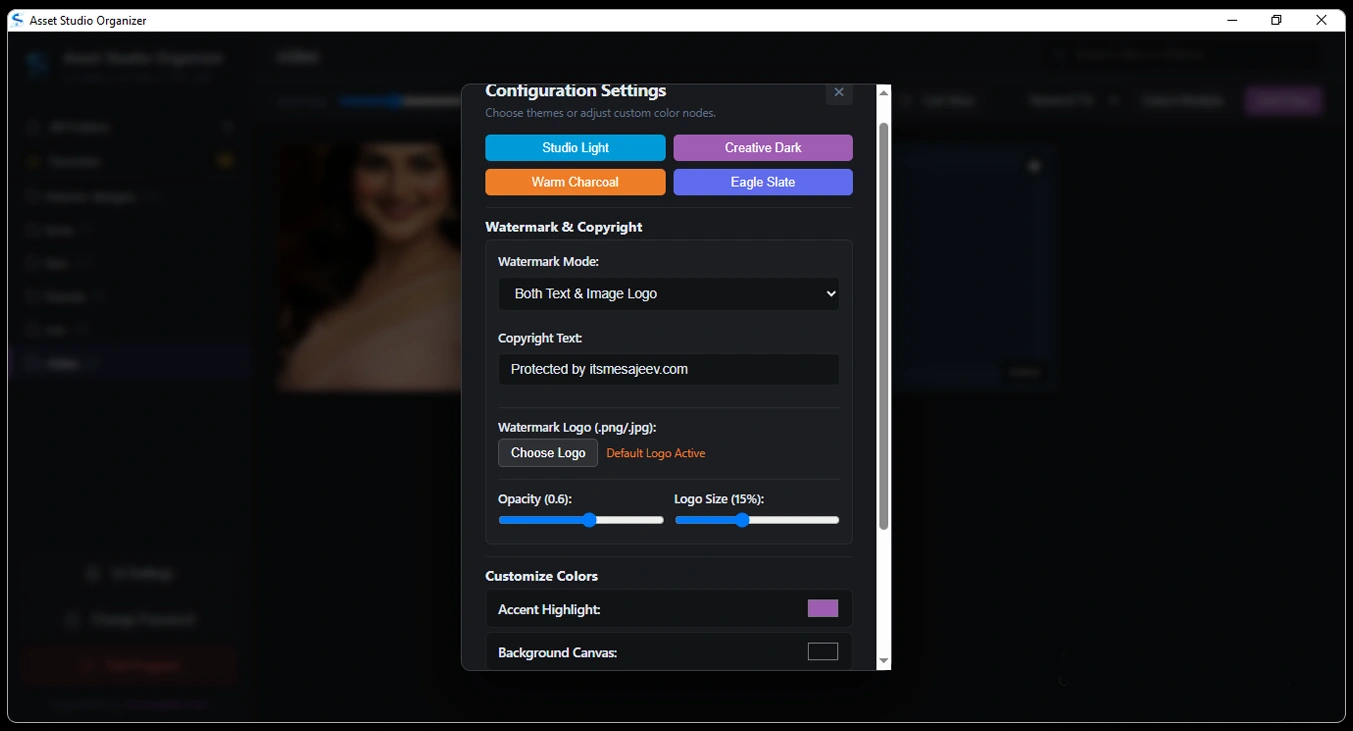
  • Three-Way Branding: Choose between text-based copyright, custom image logos (.png/.jpg), or both combined.
  • Precision Controls: Adjust opacity (transparency) and scale (size) using real-time sliders before exporting.
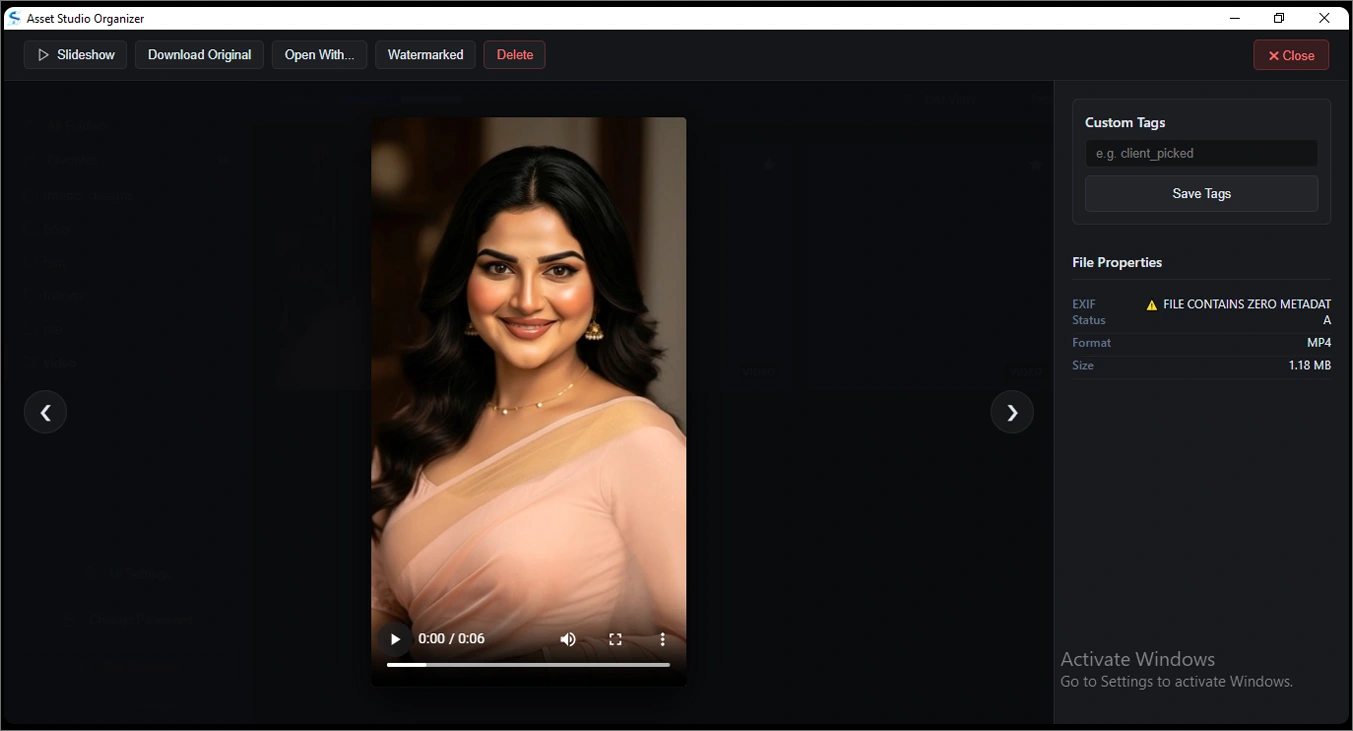
  • OpenCV Video Engine: Built with a heavy-duty computer vision backend capable of handling 4K video assets with automatic fallback codecs.
🎬

Advanced Viewing & Exporting

  • Smart Native Launching: Bypasses internal players for heavy RAWs, MKVs, or spreadsheets, bridging instantly to native PC apps (VLC, Excel) for zero lag.
  • Versatile View Modes: Toggle between visual Grid View for portfolios and List View for data management.
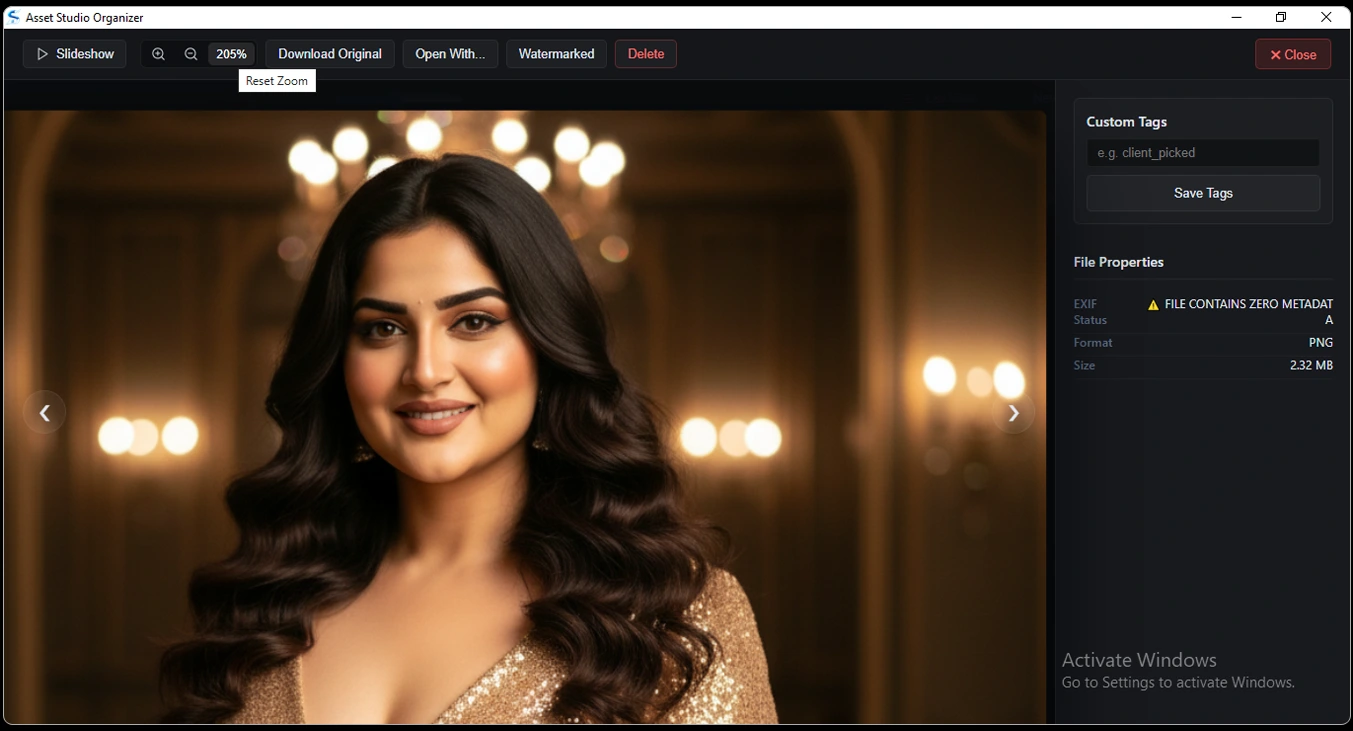
  • Theater Lightbox: Present photos in a distraction-free dark mode with automated slideshow controls.
  • Async Thumbnail Caching: Handles 1,000+ studio imports without crashing by generating background previews.
  • EXIF Camera Reader: View camera settings (ISO, Focal Length, Exposure, Model) instantly.
  • Bulk ZIP Delivery: Select multiple assets and compress them into a single .zip file for quick USB delivery.
🎨

Custom Branding & Theming

  • Make It Yours: Change accent colors, backgrounds, and navigation panels to match your studio branding.
  • One-Click Presets: Switch between pre-built aesthetics like Studio Blue, Creative Purple, or Warm Charcoal.
  • Dynamic Grid Scaling: Scale photo thumbnails larger for inspection or smaller to view hundreds of files at once.
  • Bespoke Cache-Busting: Advanced routing ensures new uploads, edits, and moves appear instantly without manual browser refreshes.
🔒

Enterprise Security

  • Hardware-Locked License: Mathematically bound to your computer motherboard using SHA-256 encryption, making your copy exclusive and impossible to pirate.
  • Master Workspace Lock: Front-door password gateway prevents unauthorized staff or clients from snooping through shoots.
  • Intelligent Auto-Cleaning: Monitors vault integrity. If files are deleted externally via Windows Explorer, the database cleans and resyncs on boot.
  • Zero Recurring Fees: Buy it once, own the full software suite forever.
⚡

Frictionless Portability

  • Self-Building Infrastructure: Zero installation required. Upon first launch, the .exe generates its own secure `OrganizerData` folder and database.
  • Standalone Executable: No complex frameworks or Python environments required. Everything is bundled into a single optimized executable file.
  • Automated Shortcuts: Automatically generates a native Windows desktop shortcut upon first boot for seamless daily studio booting.
📧

Post-Purchase Access

Immediately after checkout, you will receive an automated email containing your software activation key and secure login credentials for our private Client Portal. (Purchases made directly on our site generate an official key, while Gumroad purchases will use the serial key provided by Gumroad). Your personal dashboard is your central hub to easily download the latest software versions, manage your lifetime licenses, and reach out to our support team.

🔄

Free Monthly Updates

We are committed to constantly improving the software. We release new features and improvements every month. You can seamlessly download the latest version at any time via your Gumroad Library or your Client Portal dashboard.

💻

System Requirements

  • OS: Windows 10 or Windows 11 (64-bit required)
  • Storage: Minimum 200 MB available disk space
  • Internet: Required for initial license activation

Frequently Asked Questions

Everything you need to know about licensing, hardware binding, and data safety.

How do I install and run Asset Studio Organizer? +
Asset Studio Organizer is a portable application, so no installation or setup process is required. Simply extract the downloaded package and run the application.

Follow these steps to get started:

Step 1: Choose a Storage Location

Copy the AssetStudioOrganizer.exe file from the extracted package to a local drive with sufficient free storage space (for example, D:\ or E:). Choose or create a folder where you intend to keep the software and your media library.

Step 2: Run the Application

Double-click the AssetStudioOrganizer.exe file to launch the software. On its first launch, the application will automatically create a folder named OrganizerData in the same directory as the EXE file.

Step 3: Desktop Shortcut

For your convenience, the software automatically creates a desktop shortcut during its first launch. You can use this shortcut to open the application in the future.

Step 4: Start Organizing

That's it! Your software is ready to use. No traditional installation, setup wizard, or additional configuration is needed.

Important: Understanding the OrganizerData Folder

The OrganizerData folder is essential for the proper functioning of the software. It acts as your personal data storage location.

Stores Your Data: All your imported images, videos, documents, and database files are stored inside this folder.

Keep Files Together: The application EXE file and the OrganizerData folder must always remain together in the same directory.

Never Move the EXE Separately: Do not move the EXE file to your desktop or another location after the first launch. Use the automatically created desktop shortcut instead.

Protect Your Data: Never delete the OrganizerData folder. Deleting it will remove your stored media and database. The software may create a new, empty folder when launched again, but your previous data will not be restored.

Important Reminder: Always keep the application EXE file and its OrganizerData folder together. We also recommend regularly backing up the entire OrganizerData folder to another drive to protect your valuable files and ensure you have a backup in case of unexpected data loss.
Can I move the software to another drive? +
Yes, you can move the software to another drive on the same computer, provided you keep the application and its data together.

Before moving:

Close the software completely.

Move both AssetStudioOrganizer.exe and the entire OrganizerData folder to the new location.

Launch the software from its new location.

Important: Do not move only the EXE file or the OrganizerData folder. Both must remain together. Your license is tied to your computer's hardware ID, not simply the drive location.
Can I use the software on another computer? +
No. Your activation key is bound to the hardware ID (motherboard) of the computer on which you first activate the software.

Copying the application to another computer or laptop will not allow it to run.

If you purchase a new computer or need to transfer the software to another studio computer, please contact our support team to request a license key reset or buy a new license key
Do I need an internet connection to use the software? +
You only need an internet connection for the very first launch to activate your license key. After that, the software is 100% offline. You can edit, watermark, and organize your assets in a remote cabin with zero internet access.
Read all FAQs →
🟢 5,100+ Satisfied Customers (Studios,Photogrphers, etc)

Trusted Worldwide

★★★★★
"“It has made my old photo collection enjoyable again.” I had thousands of photographs sitting in different folders and rarely looked at them because finding anything was difficult. Now I can browse through them much more comfortably and actually enjoy my older photographs again."
Sophia Bennett - Family Photographer, Canada
★★★★★
"We handle photographs, videos and documents for several clients, so keeping project assets organized is important. I like that the software works locally and doesn't require another monthly subscription. The ability to manage different file formats from one interface is a real advantage."
Lucas Martin - Creative Studio Owner, France
★★★★★
"“Much better than endlessly browsing folders.” My biggest problem was not having enough organization once my collection became large. Asset Studio Organizer gives me a proper visual way to browse my images and separate important files from the rest. The portfolio and grid views are particularly helpful."
Ananya Rao - Visual Artist, India
★★★★★
"“The EXIF information is a surprisingly useful feature.” I often need to check camera settings when reviewing older photographs. Being able to see information such as ISO, focal length and exposure without opening every image individually is very convenient. The software is practical rather than overloaded with unnecessary features."
Ethan Williams - Photography Enthusiast, Australia
★★★★★
"“Excellent for organizing large batches of images.” I frequently work with hundreds of images from a single project. Bulk renaming, thumbnails, folders and the different viewing modes make managing these files considerably easier. It has become a useful part of my daily workflow."
Mohammed Faisal - Digital Media Professional, UAE
★★★★★
"“I wanted something that kept my files on my own computer.” Privacy was one of the main reasons I chose this software. I don't want every client project automatically uploaded to a cloud service. Having a local database and keeping my original files on my own system gives me much more control over my work."
Thomas Weber - Freelance Photographer, Germany
★★★★★
"“A simple solution for a very messy problem.” I’m not a professional photographer, but I have years of family photographs, travel pictures and videos stored on my PC. Asset Studio Organizer helped me turn that collection into something much easier to browse and manage. It has made going through old memories much more enjoyable."
Priya Nair - Content Creator, India
★★★★★
"“The watermarking feature saves me a lot of time.” I regularly send preview images to clients, and adding my branding manually to every batch used to be tedious. The built-in watermarking and bulk export features make this part of my workflow much faster. It feels like a tool designed with creative professionals in mind."
Michael Carter - Commercial Photographer, USA
★★★★★
"“Very useful for managing client projects.” As a graphic designer, I work with photographs, design assets, PDFs and other files every day. I like that I can manage different types of files from one place instead of constantly searching through Windows folders. The local/offline approach is also a big advantage for client projects."
Rahul Sharma - Graphic Designer, India
★★★★★
"“My photo archive finally feels under control.” Over the years I had accumulated thousands of personal and professional photos scattered across different folders. This software gave me a much better way to organize everything and quickly find what I need. I particularly like the clean interface and the ability to view photos in a proper gallery-style layout."
Daniel Brooks - Creative Freelancer, United Kingdom
★★★★★
"“Exactly what I needed for my photography workflow.” I manage a large collection of wedding and event photographs, and keeping everything organized was becoming a real problem. Asset Studio Organizer makes it much easier to browse, categorize and manage my files without depending on cloud storage. The RAW file support and fast thumbnail loading are especially useful for my work."
Arjun Menon - Wedding Photographer, India
★★★★★
"I’m really impressed with this software. I love being able to look back at my old photos and also keep my newer ones organized in one place. It makes browsing through my photos feel much more enjoyable, and my PC finally feels a lot more organized. Definitely a software I’m happy to have."
Sajeevkumar S - Content creator
← Swipe to read more reviews →

Unlock Your Studio Vault

Purchase your lifetime license today. Your automated activation code and Windows `.exe` installer will be delivered immediately upon payment.

  • Full Photo Studio Organizer - Premium Edition (.exe)
  • Lifetime Access & All Future Software Updates
  • Motherboard HWID Lock & Password Protection
  • Zero Cloud Storage Fees or Monthly Subscriptions
🛡️ Motherboard HWID Binding Upon purchase, you will receive a unique activation code (e.g., SAJEEV-PRO-XXXX). On your first setup, this key permanently locks to your workstation's Hardware ID for enhanced anti-piracy security.
70% OFF BLACK FRIDAY SALE till 18/11/26
₹6,200 ₹1,860
One-Time Payment • Lifetime Access
Option 1: Pay via Razorpay (Global Cards & UPI)

Secure and trusted checkout with

Secure Payment Gateways
Option 2: Pay via Gumroad
Buy on Gumroad
🔒 256-Bit Encrypted Checkout • Instant Code Delivery